
Search inside scanned PDFs on Windows
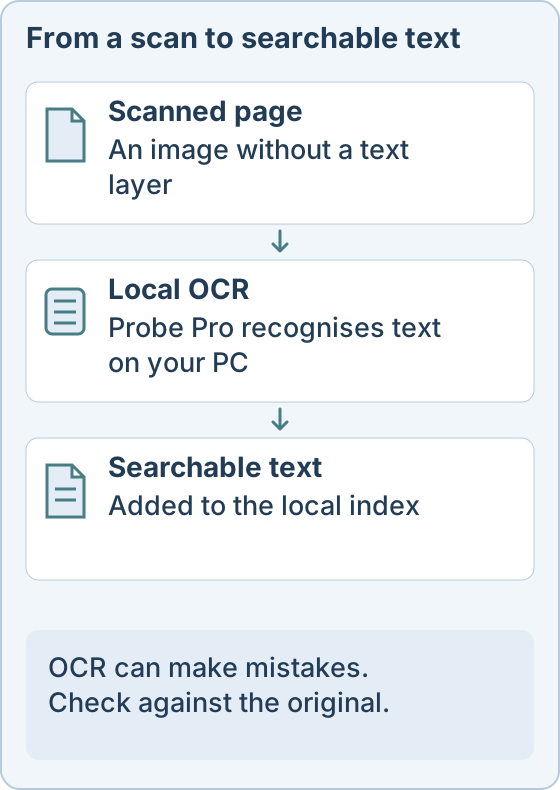
A scanned contract or invoice is only a picture of text, so ordinary search finds nothing in it. Linda Probe Pro recognises the text with OCR on your own PC and adds it to a local search index.
Why search misses scans
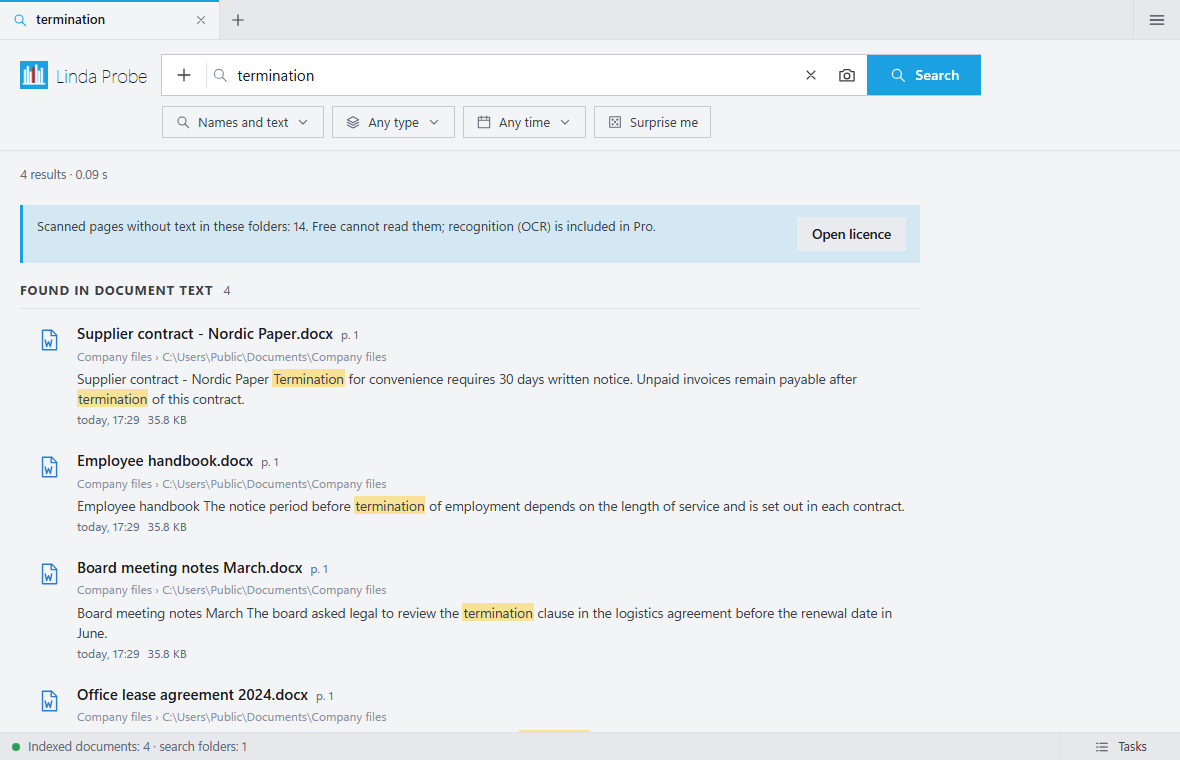
A PDF made by a scanner often has no text layer. The words are visible to you, but not to the search tool. Until the page goes through OCR, a search for a name or a contract number returns nothing.
What Linda Probe does
Add a folder and Probe indexes it. Pro runs OCR on scans and can create searchable PDFs. You can then search by exact words or describe what you remember, open a preview, and go to the original file. OCR models cover Latin and Cyrillic scripts.
Your files stay on your PC
Indexing, OCR and search run locally, and documents are not sent to the operator. Internet is used for model downloads, updates and licence checks.
What to expect
OCR accuracy depends on the scan. Crumpled pages, low resolution and handwriting can produce errors, so check important documents against the original. Try it on your own files before relying on it.
Probe Pro costs $10 once for one person (up to 3 devices), $30 once for up to 10 people, or $500 a year for an organization. Personal, non-commercial use of the free features costs nothing. Taxes and the final total are shown before payment.
Linda Probe runs on Windows 10 and 11 (x64). Optional models download after activation and need internet, free disk space and compatible hardware. The installer is not code-signed yet, so Windows SmartScreen may show a warning.